Lay’s Personalised Messi Videos
OVERVIEW
Project Brief
Lay’s had a mission to create a shareable video in partnership with a famous footballer, with the aim to drive engagement. My task was to create the first website/app wireframes and user-flow for the concept.
The Goal
The goal was to create a personalised video message, spoken by Messi to invite users to watch a football game. The personalised video allows users to enter their name(s) into autocomplete text fields to generate a video message of Messi to the user and his/her friends.
The Team
As part of a Product Design Internship, I was given this solo project to work on and would report to my manager/client for feedback.
Responsibilities
Product Design, Content Design, Wireframing and Prototyping
Tools
Sketch, InVision, UXPressia
The Process
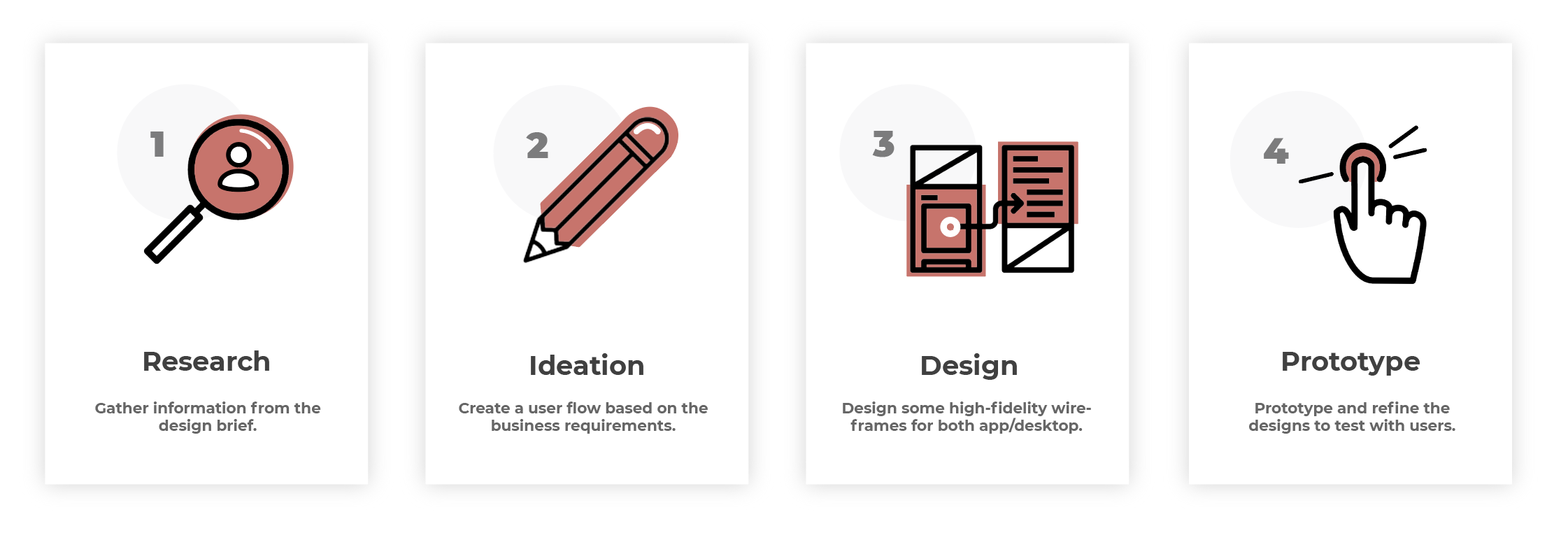
My process will be different in different projects and will be determined by many factors such as the project goals, business needs, complexity of the problem, time and etc. This project had already had a discovery phase and some initial sketches, so below I’ll describe the process for tackling this project.
Ideation
Creating a user journey
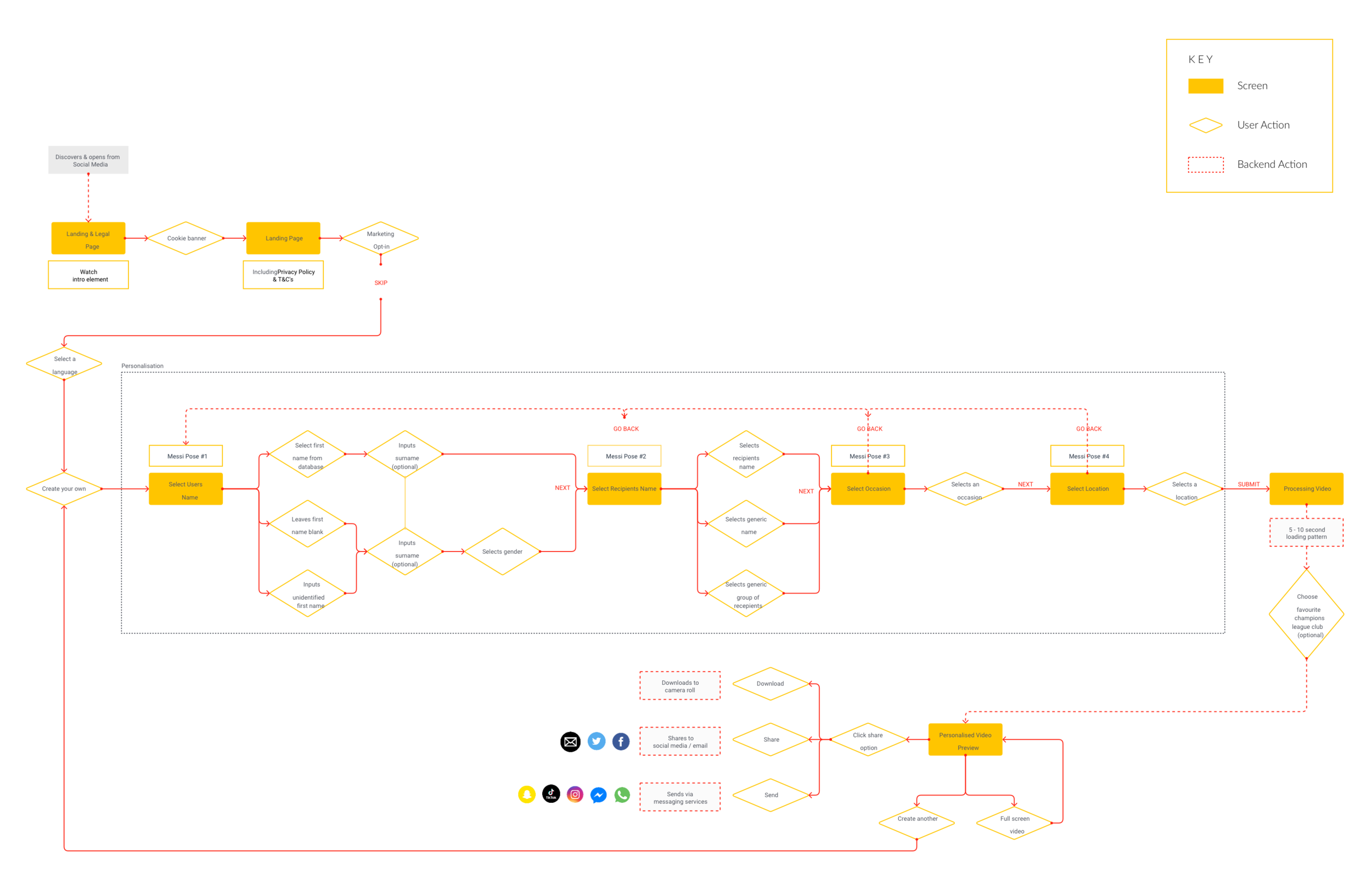
The client had a clear understanding of what they wanted the service to look like, they wanted the user to complete different steps in order for the AI technology to input their correct information into a personalised Messi video.
From this knowledge, I set out to create a user journey that would visualise all of the different steps involved. This user journey could be used for both the mobile and desktop process and once it was approved by the client I could move on to creating the wireframes.
Design
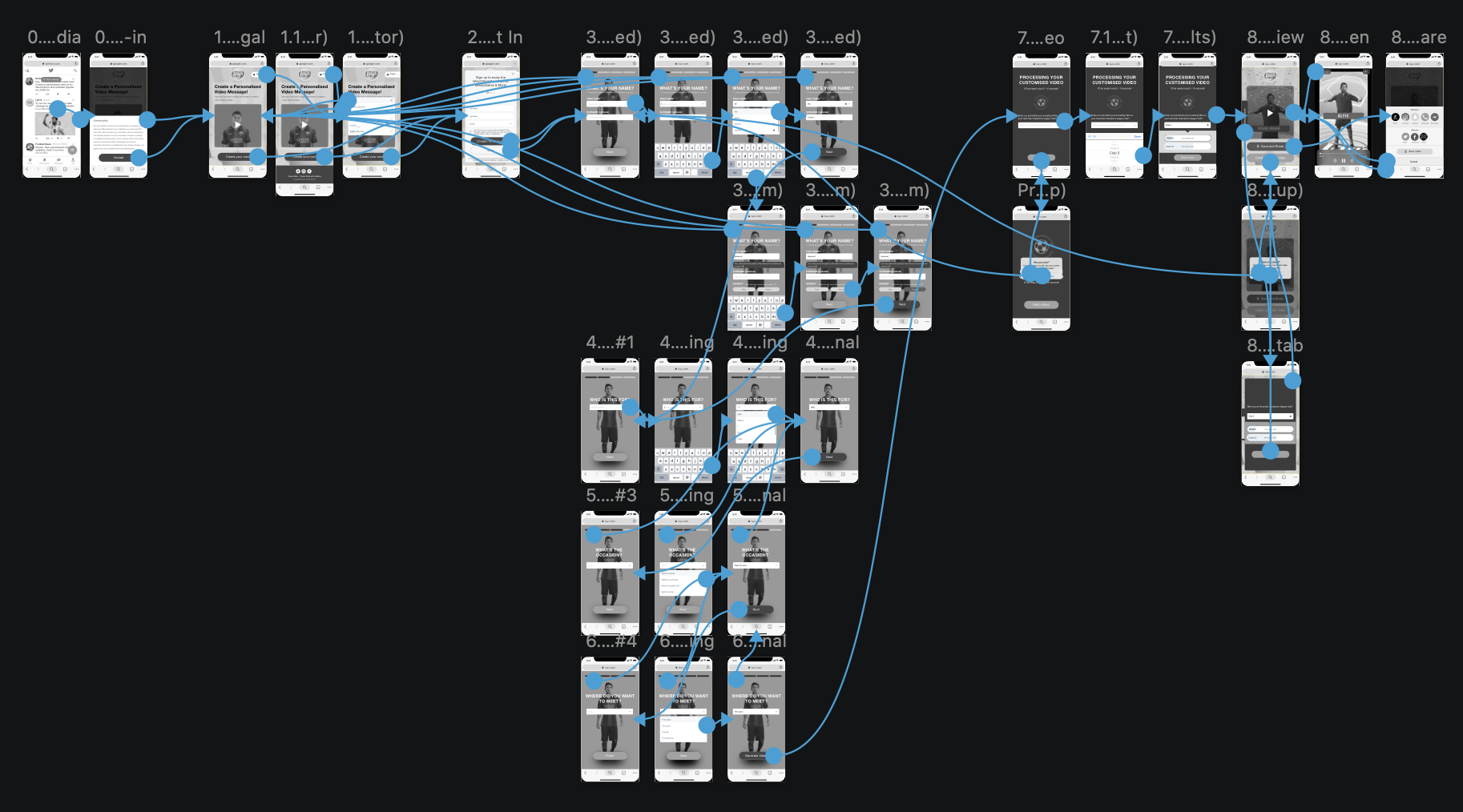
Creating low-fi mobile wireframes
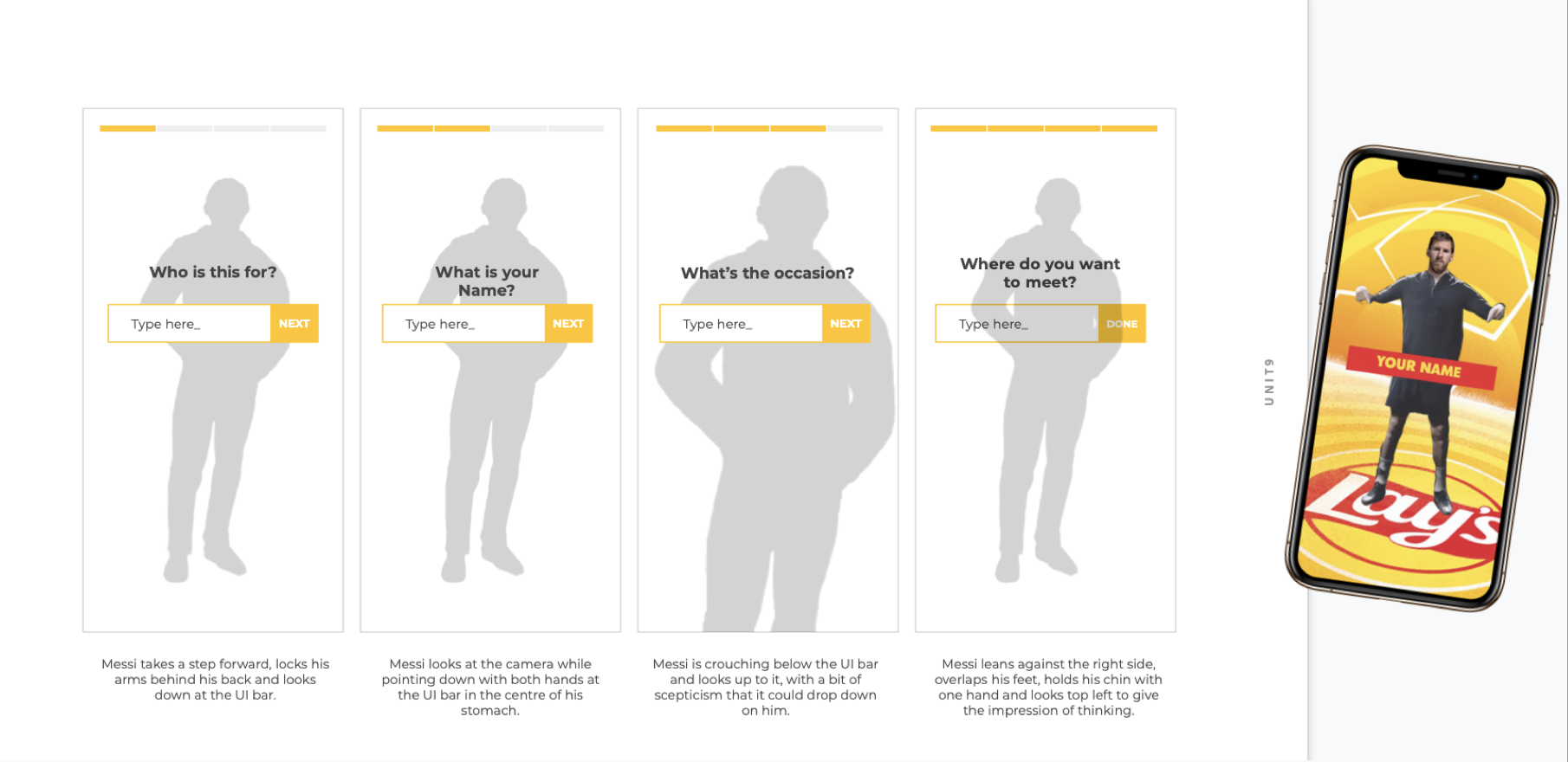
Now that the user journey had been approved and I knew the steps that were involved in the service, I got to work creating some wireframes. The first type of wireframe that I made was a very basic low-fidelity version, these just included the basic shapes and text inputs so that the client could get a gist of what the general layout would be.
I wanted to create something that was very simple to use and clearly showed you where you were in the journey (hence the progress bar at the top of the screen). These were annotated and presented back to the client for feedback.
Creating high-fi mobile wireframes
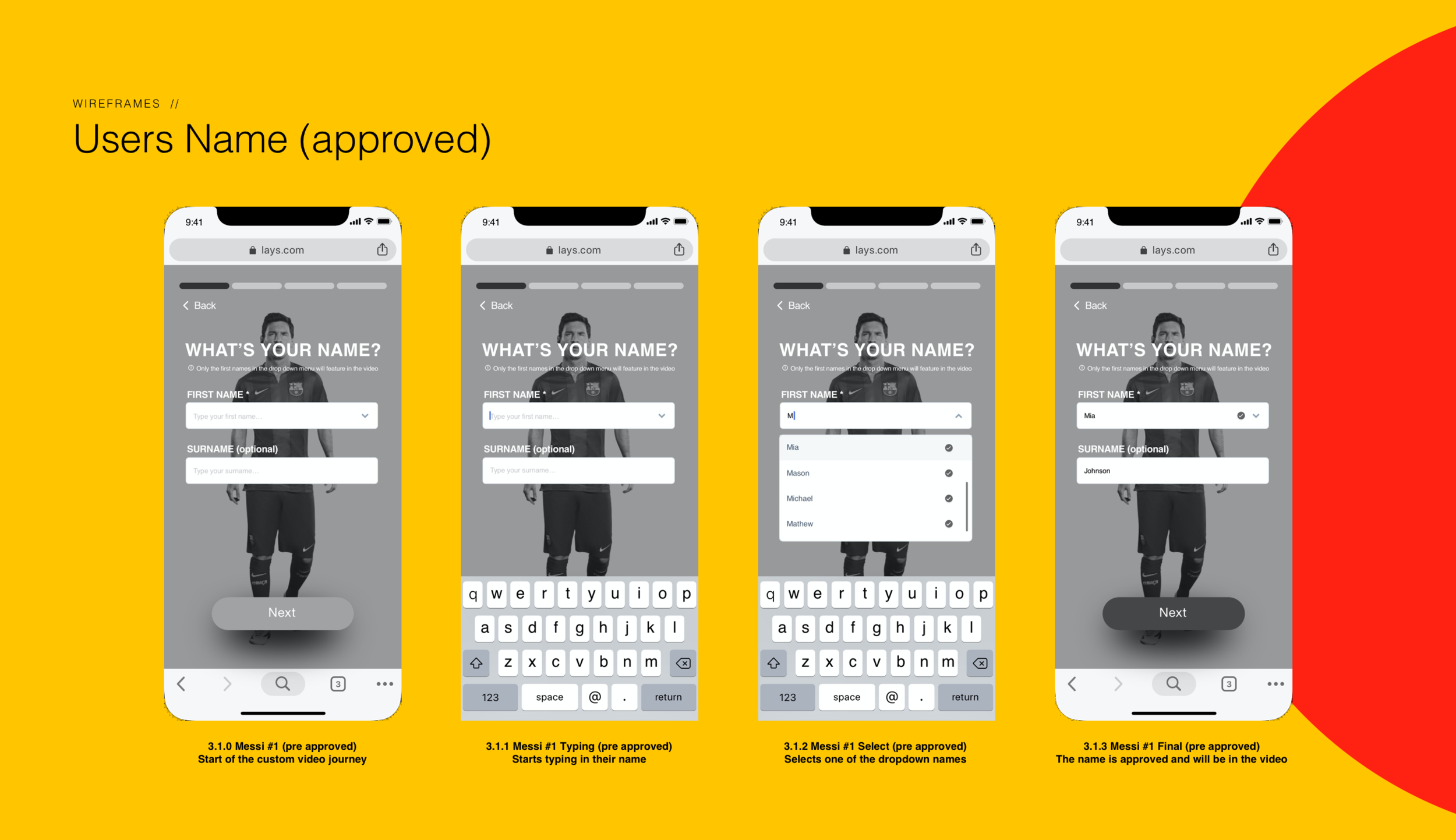
Once the low-fidelity wireframes were approved, it was time to create the high-fidelity wireframes. These were made on Sketch and linked up to InVision to make a working prototype that could be tested.
These screens had a lot more detail than the previous wireframes, however, they were still in black and white. This was because when getting client feedback I didn’t want them focusing on any UI elements at this stage, I was just concerned about getting the layout and UX right.
Some of the more interesting design challenges at this stage were:
Having different user journeys/screens for if their name was on the database or not.
Having the users surname as a non-compulsory text field.
Having a gender option for ‘custom’ names. This was because in many of the languages they need to determine if it is masculine or feminine for the dialect.
Creating high-fi desktop wireframes
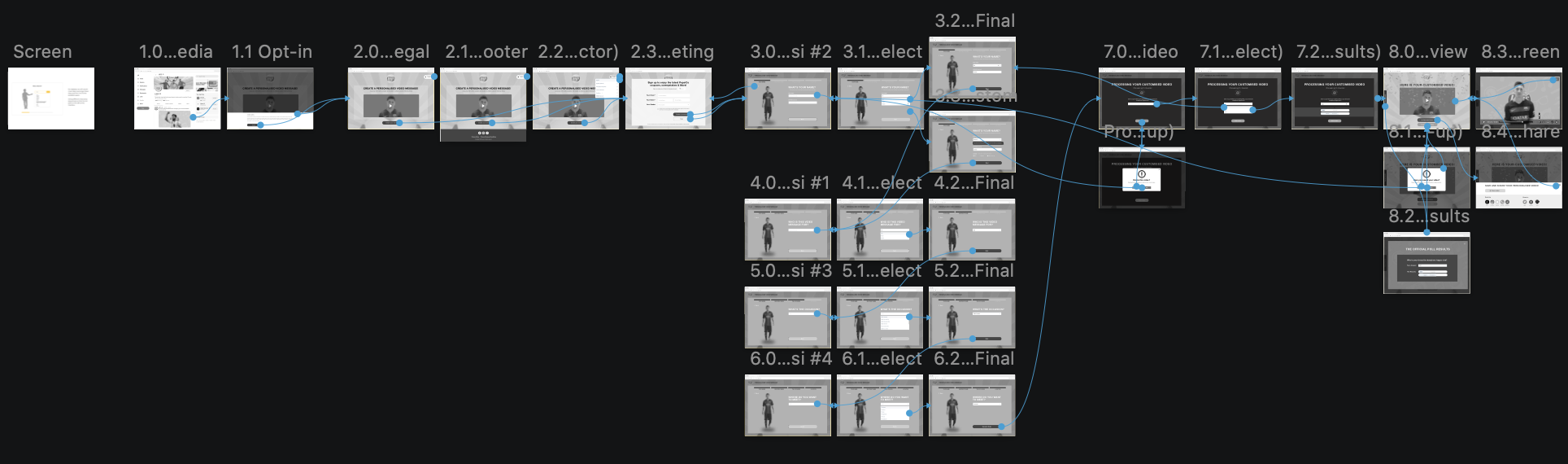
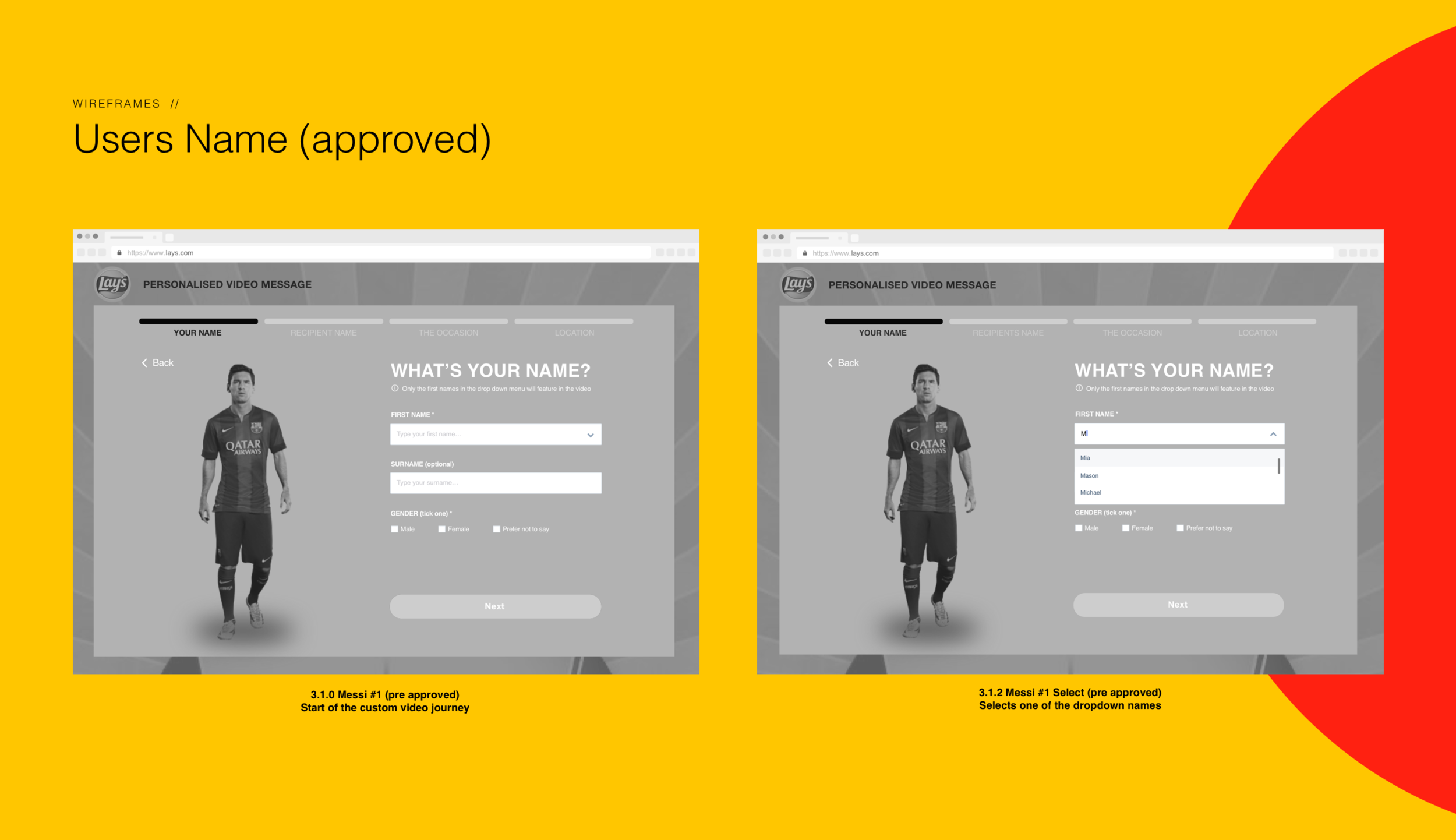
Once the high-fidelity wireframes for the mobile version were approved, it was time to move onto the desktop version. These followed the same flow as the mobile wireframes so my task was just editing them to fit in with a desktop layout.
Some examples of the changes I had to make were that Messi was now standing next to the input box rather than leaning over it, I also needed to adapt the UI elements to fit the F shaped pattern of reading. After these were created I linked them up to InVision (so they were a working prototype) and sent them off to be tested.
Project Learning
What I have learned from this project?
Client feedback is essential at every stage. On previous projects, the client has been very laid back in what they wanted me to produce, however, on this project the client was very involved. This was brilliant as it meant that I could gain feedback on every step of my designing process and I was confident that the client was on board with what I was producing.
Having a good foundation is key. Before starting on the high-fidelity wireframes I made sure that I had created a user journey and low fidelity wireframes, this was to ensure that I had a great/approved foundation to base my more detailed wireframes on.